
Work orders & workshop board
Follow every car from drop-off to delivery on a visual status board, assign jobs to technicians and bays, and track real time per task.
Auto workshop management software
GMechanic brings reception, digital inspection, work orders, parts, e-invoicing and accounting together in one easy system, on desktop, tablet and phone, even without internet.
Features
Connected modules that cover every step of the working day and pass data along automatically, with no double entry.
Follow every car from drop-off to delivery on a visual status board, assign jobs to technicians and bays, and track real time per task.
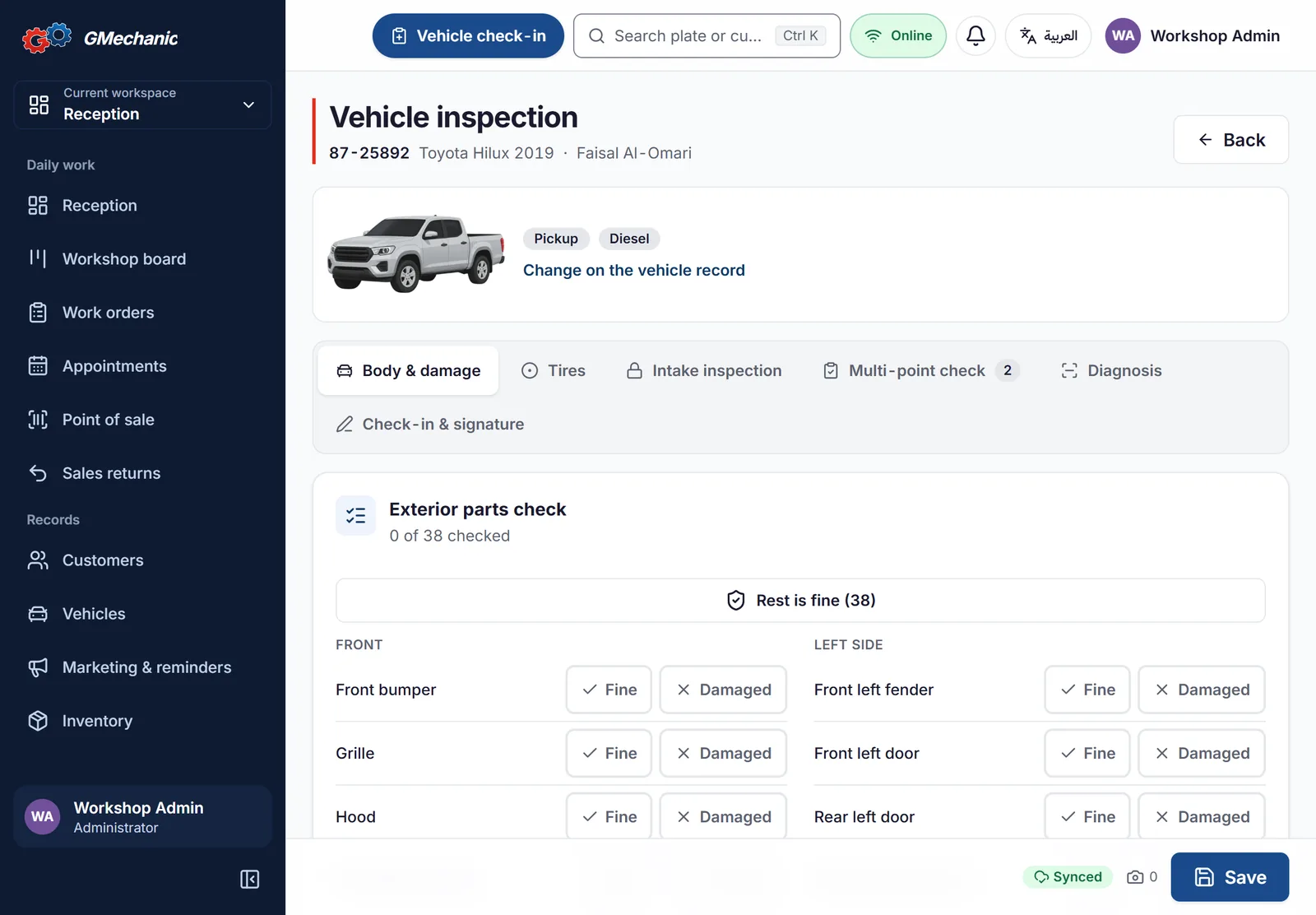
A step-by-step check-in wizard with vehicle photos, a damage diagram, a professional checklist, odometer and fuel, and the customer’s signature.
Send the estimate so the customer approves or declines each line, with a full record that protects you from disputes.
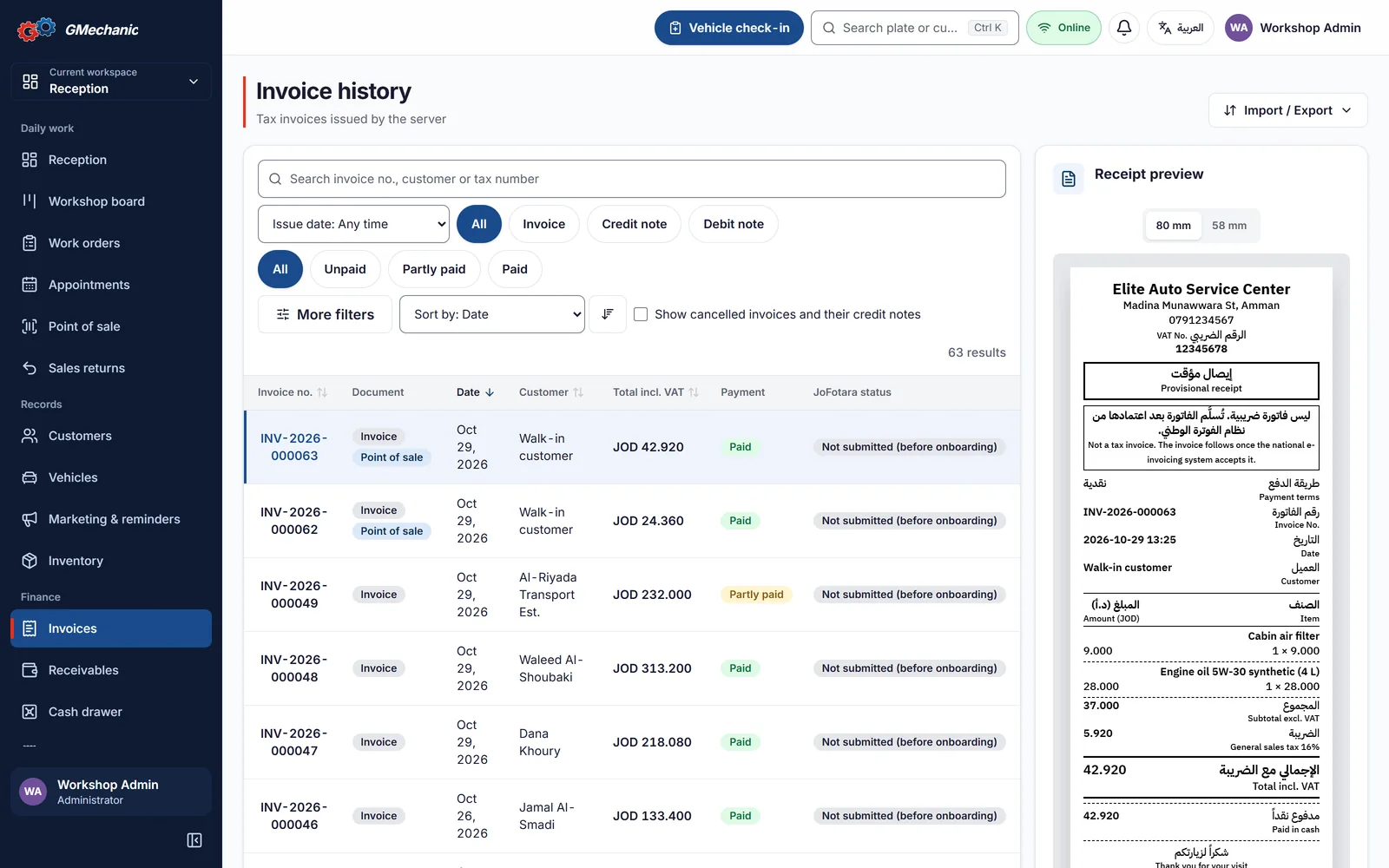
Tax invoices, credit and debit notes compliant with ZATCA Phase 2 and JoFotara, with QR codes and thermal or A4 printing.
Barcode-driven parts management, reorder levels, purchase invoices, returns and automatic weighted-average costing.
Fast counter sales of parts and oils with a barcode scanner, returns and cash-shift closing.
Automatic journal entries for every document, chart of accounts, income statement, balance sheet, trial balance, cash flow and tax return.
KPI dashboards for sales, profit, technician efficiency, stock and customers, with period comparison and Excel export.
Book visits by bay and technician, and send mileage- or date-based service reminders over WhatsApp.
A secure link where customers follow their car, see the inspection, photos and invoices. No app to install.
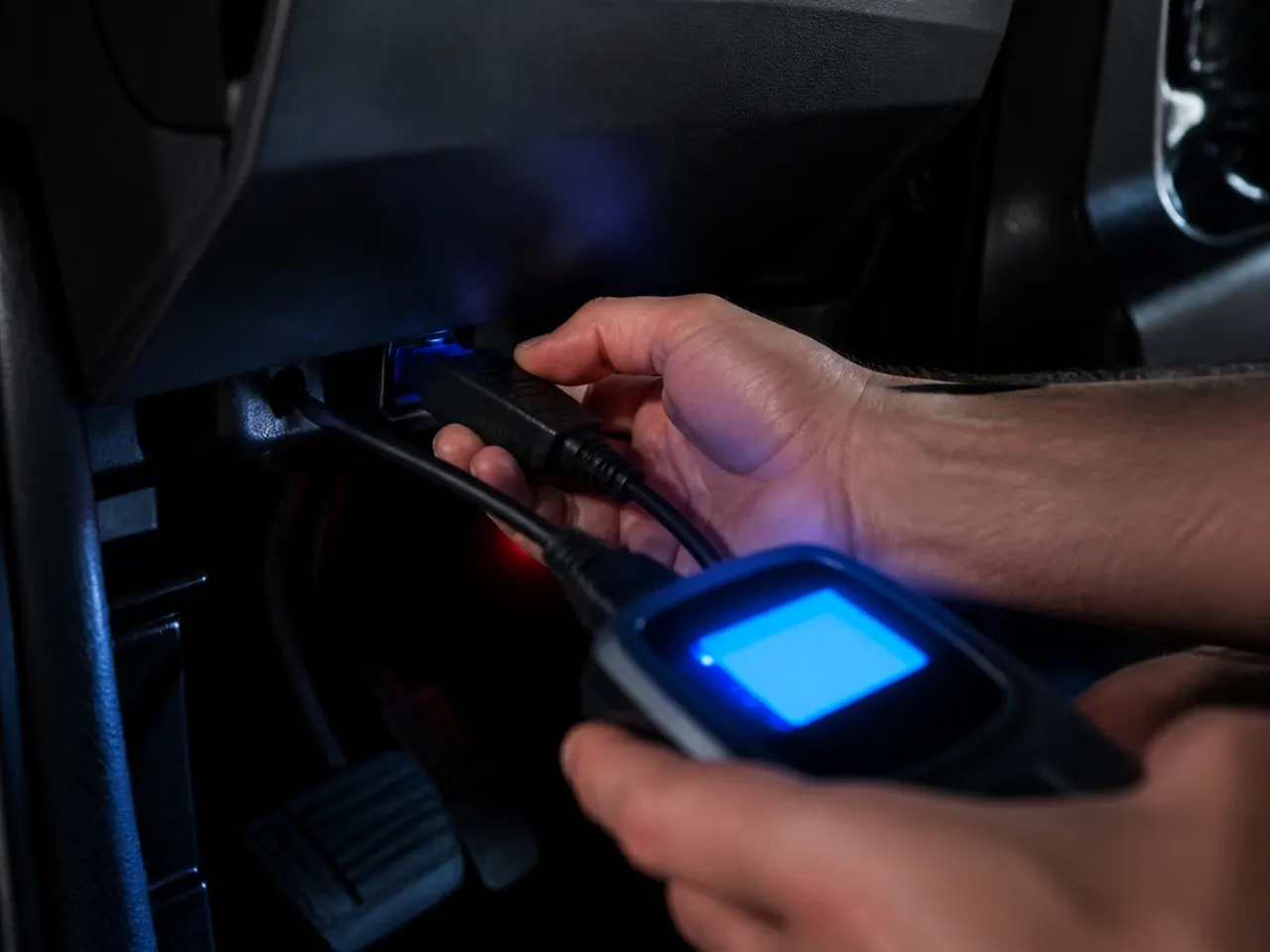
Read fault codes with plain-language explanations and severity, and decode the VIN to fill in vehicle details automatically.
Fine-grained roles and permissions per user, PIN lock, a full audit trail, and scheduled backups with one-click restore.
Inside the app
Clear, fast interfaces, shaped with real service centers to cut clicks and speed up the day.
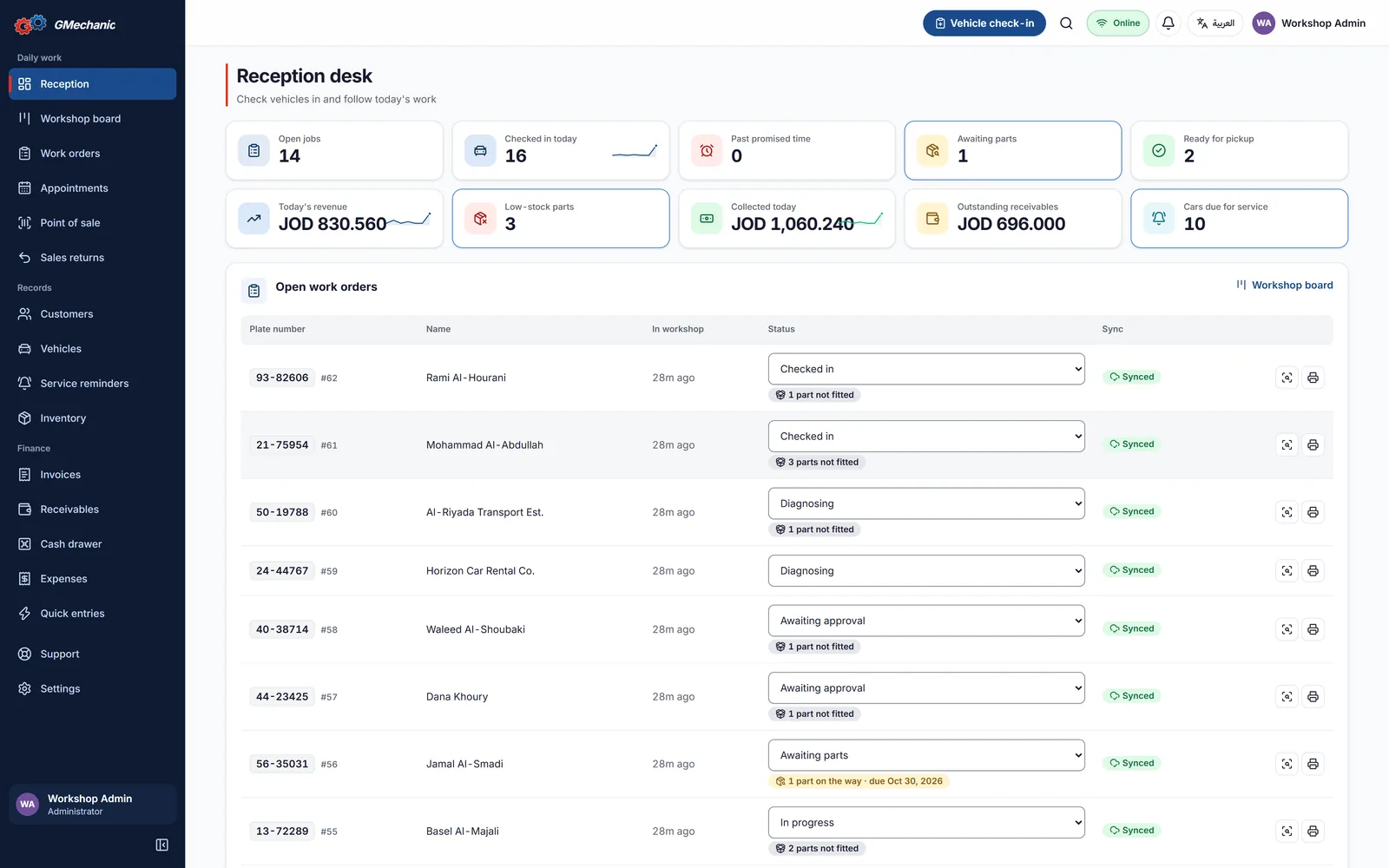
Daily reception dashboard
How it works
Each step hands its data to the next automatically, so no line is lost and no part is forgotten.
Appointments by bay and technician availability.
Photos, odometer, fuel, damage and signature.
Professional checklist and OBD reading.
An estimate approved line by line.
Job assignment and a quality check before delivery.
An e-invoice and an instant journal entry.
Next-service reminders over WhatsApp.

Works everywhere
Install GMechanic on the reception computer and it becomes a secure local server. Technicians and supervisors connect from tablets and phones over the workshop network, and work continues even when the internet is down.
A desktop app with thermal and A4 printing and barcode scanners.
Camera inspection, photos, and barcode / VIN scanning.
Everything is saved locally and syncs automatically when the connection returns.
Tax compliance
Pick the branch country and GMechanic sets the currency, tax, invoice format and tax-authority connection for you.
Pricing
Start with the plan that fits and move up any time without losing data.
For small workshops going digital
125 JOD/ month
Billed yearly at 1,499 JOD
Get this planMost popular
For growing service centers that want more
250 JOD/ month
Billed yearly at 2,999 JOD
Get this planEverything in Basic, plus:
For large centers and multi-branch chains
417 JOD/ month
Billed yearly at 4,999 JOD
Get this planEverything in Pro, plus:
Prices are per branch and include updates. Prices exclude tax.
| Feature | Basic | Pro | Enterprise |
|---|---|---|---|
| Work orders, check-in & inspection | |||
| E-invoicing, inventory & POS | |||
| Essential reports | |||
| Sales, operations & inventory analytics | |||
| VIN scanning & decoding | |||
| Customer portal | |||
| Integrations (API & webhooks) | |||
| Full accounting & financial statements | |||
| Advanced revenue & profit analytics | |||
| Custom workflow | |||
| Your logo & colors on documents | |||
| Support | Priority support | 24/7 support & account manager |
FAQ
Yes. GMechanic runs on the reception PC as a local server and the other devices connect over the workshop network. Internet is only needed to send invoices to the tax authority, and they are sent automatically when the connection returns.
Yes. It complies with ZATCA Phase 2 in Saudi Arabia and with the national JoFotara system in Jordan.
Devices are unlimited. The number of users depends on the plan: 5 on Basic, 10 on Pro and unlimited on Enterprise.
Of course. Install the higher edition over your current one and all your data stays exactly as it is.
Your data lives on your own computer in the workshop, fully under your control, with scheduled automatic backups, one-click restore and Excel export.
Yes. We provide remote installation and training for your team, and support based on your plan, up to 24/7 with an account manager on Enterprise.
GMechanic fits mechanical repair shops, auto electrical workshops, wheel alignment and balancing, quick service and oil change centers, and multi-branch service centers, from a small garage to a large chain.
Yes. E-invoicing is fully supported in Saudi Arabia (ZATCA Phase 2) and Jordan (JoFotara). Workshops in the UAE, Kuwait, Qatar, Bahrain and Oman can use all the workshop management features; contact us to discuss the tax requirements in your country.
Yes. Book a free demo and we will walk you through the software using your workshop’s scenarios and help you pick the right plan.
Contact us
Tell us about your workshop and we will reach out to demo GMechanic on your own data and help you pick the right plan.
Join the workshops that run their day with confidence on GMechanic.